


ABCKidsTv - Tracing & phonics
3.76.00 Reviews
App Specs
- Version
- 11.11.0
- Updated On
- License
- Free
- Downloads
- 50,000+
- Developer
- Craox Technologies LLP.
- Categories
- Educational
- Platform
- Android
Screenshots
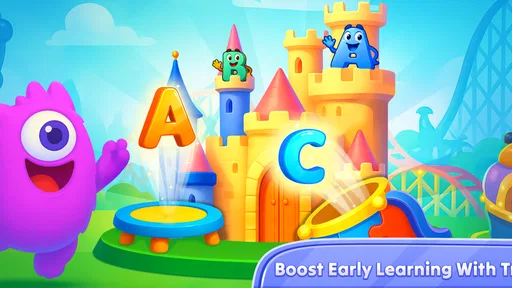
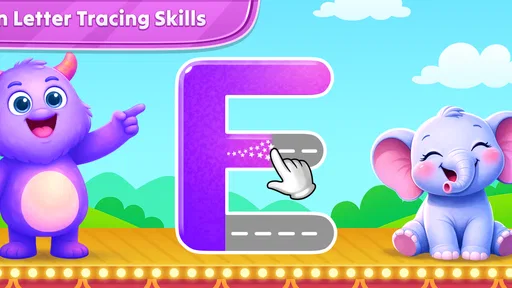
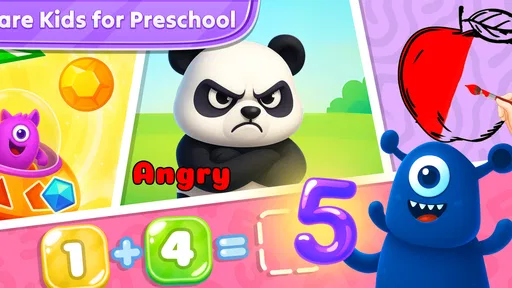

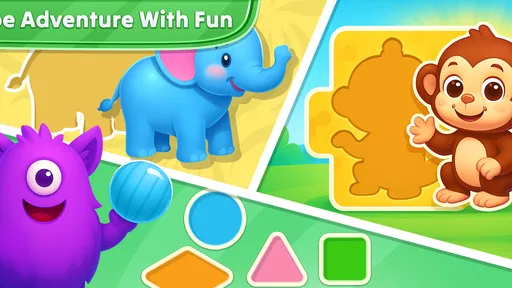
 Analysis by AppCompare
When I look for a learning game for a young child, I want more than bright screens and quick tapping. I want an activity that has a clear purpose, is easy to start without a long explanation, and gives the child a reason to come back without making the adult manage every moment. ABCKidsTv - Tracing & phonics is built around that simple idea. It is a free educational game from Craox Technologies LLP that brings early writing practice, phonics, counting, and word learning into one child-focused app.
My first impression is that it works best as a compact practice tool rather than a complete early-learning curriculum. The appeal is its range: a child can move from tracing letters to hearing phonics, then switch to numbers or vocabulary without opening several different apps. That makes it convenient for short sessions at home, especially when a child needs a calm activity with a recognizable learning goal.
The important question is not whether it contains many beginner topics. It does. The better question is whether that combination matches your child’s current stage and your own expectations. If you want a gentle introduction to letter shapes, sounds, counting, and basic words, it is worth considering. If you need detailed progress reports, a carefully sequenced teaching program, or a replacement for direct adult guidance, I would look at other types of learning tools as well.
What I considered before recommending it
I judged this game by the things that matter most in the early-learning category: how quickly a child can understand the activity, whether the exercises support skills that transfer beyond the screen, how much variety is available, and whether the app remains manageable for parents. The store summary points to tracing, phonics, counting from one to one hundred, and a vocabulary set of one hundred and four words. Those areas give the app a broad starting point, but breadth alone does not guarantee useful practice.
For a preschooler, the difference between a helpful activity and a frustrating one often comes down to presentation. A tracing exercise should make the intended path obvious. A phonics activity should connect a sound with a letter in a way the child can remember. Counting should encourage recognition and order rather than merely rewarding random taps. I therefore paid attention to how naturally these subjects fit together for a short session.
The app is marked for Everyone, which suits its child-oriented purpose. Still, an age label cannot tell you whether your particular child will find the tasks too easy or too demanding. A child who already writes several letters may quickly outgrow the tracing portion, while a younger learner may benefit from an adult showing the motion first. I would treat the age rating as a broad safety and audience indicator, not as a promise of a perfect developmental match.
Another practical criterion is the time required from the adult. Some children’s apps are only pleasant when a parent constantly explains what to do, corrects mistakes, or navigates menus. ABCKidsTv is more useful when the child can settle into a familiar routine: choose a topic, complete a small activity, and move on. Even then, occasional participation from an adult makes the learning more meaningful, particularly when the child is practicing sounds or confusing similar letter shapes.
Worth Reading Before You Choose

EA SPORTS FC Mobile 26 Is a Bigger Football Game, but It Takes Time

Flipboard Shows What News Apps Must Do Beyond the Feed

Switching to Android Auto Means Rethinking Your Driving Routine

Google Calendar Makes a Crowded Week Easier to Manage

Ludo King Makes the Most of the Minutes Between Plans

Baby Panda World Brings Quick Play to Modern Phones, but Its Game Library Feels Busy
Tracing as a bridge from play to handwriting
The tracing element is the clearest reason to try this game. Digital tracing does not reproduce the resistance of paper or teach pencil pressure, so I would never use it as the only handwriting practice. Its value is earlier in the process: it helps a child notice the direction and shape of a character before dealing with a pencil, an eraser, and a blank page.
I found it most useful as a warm-up. A child can trace a few letters on the screen, then try drawing one of those letters on paper. That two-step routine turns the app from passive screen time into a prompt for an offline activity. The adult can ask, “Which sound does that letter make?” or invite the child to find the same letter in a book. Those small connections are more valuable than simply completing a digital path.
There is also a trade-off. Screen tracing can feel successful even when a child is following a guide mechanically without understanding the letter’s structure. I recommend watching the first attempts rather than assuming completion means mastery. If the child rushes through the motion, pause and ask them to name the letter, say its sound, or find it among printed letters. The app is strongest when it starts a conversation instead of ending the lesson.
Phonics and vocabulary in short, repeatable sessions
The phonics side gives the game a purpose beyond drawing practice. For a beginner, hearing a sound alongside a letter can make the alphabet feel less abstract. The included word-learning material also gives parents an easy way to extend a session: after a word appears, ask the child to describe it, point to a real example, or use it in a simple sentence.
I would keep these sessions brief and repetitive. Young children often learn more from returning to a small group of letters than from racing through every available topic. A useful routine is to choose a few letters, repeat their sounds, and then look for those letters in the child’s name or a familiar book. After that, counting or vocabulary can provide a change of pace without turning the session into a long lesson.
The word collection is helpful for exposure, but exposure is not the same as vocabulary mastery. A child may recognize an image or repeat a sound without understanding how the word is used. This is where the app benefits from adult follow-up. If the screen introduces an everyday object, connect it to the child’s surroundings. That approach makes the digital activity memorable and avoids treating the game as a quiz with no real-world consequence.
Counting for practice rather than advanced mathematics
The counting range reaches from one through one hundred, which gives the app room to support more than the earliest numbers. In my view, its best use is repeated number recognition and sequence practice. It can help a child become comfortable with the order of numbers before moving toward more formal addition or subtraction work.
I would not choose it as the main tool for children who are ready for structured arithmetic. Counting aloud, matching quantities, and understanding that a number represents a group of objects require different kinds of practice. After a counting activity, try placing a few toys on the floor and asking the child to count them. That simple transfer reveals whether the child is recognizing a sequence on screen or actually connecting numbers with quantities.
The broad subject mix is convenient, but it can also encourage switching too quickly. A child may jump from letters to numbers whenever one activity becomes challenging. I found that a small plan works better: finish one short tracing or phonics task, then allow a choice between counting and word practice. This keeps the game playful while still giving each area enough attention to be useful.
Where ABCKidsTv wins over common alternatives
The strongest advantage is consolidation. Instead of keeping separate apps for tracing, early sounds, number practice, and beginner vocabulary, a family can begin with one free download and see which activities the child actually enjoys. That matters when you are testing a learning routine rather than committing to a large educational platform.
It also fits the “in-between” moments well. I can imagine using it while waiting for an appointment, during a quiet period before dinner, or when a child needs a focused activity during a short trip. The subjects are familiar enough that an adult can explain the goal quickly. Compared with a general entertainment game, the learning direction is obvious; compared with a workbook, the app offers a more interactive entry point for children who resist paper exercises.
Another advantage is the low barrier to trying it. The game is free to install, so a parent can explore the activities before deciding whether it deserves a regular place in the child’s routine. That is especially useful for families with children at different stages. One child may enjoy tracing while another prefers number practice, and the same app can serve as an initial experiment for both.
Its current version is 11.11.0, and the app supports devices running Android 7.1 or later. In practical terms, that makes the compatibility requirement fairly approachable for families using an older Android device, although the experience will still depend on the particular phone or tablet. I would test it on the device the child will actually use, rather than assuming that an app suitable for one screen will feel equally comfortable on another.
The adoption level also suggests that it is not an obscure experiment: it has passed fifty thousand installs and carries a 3.7 average from around two hundred ratings. I read that as a reason to take it seriously, not as proof that it will suit every child. The small number of written reviews means the average score should be treated as a broad signal rather than a detailed explanation of the experience.
Why a single app can be easier for families
There is a hidden organizational benefit to combining these subjects. Children often learn in bursts, and parents do not always know which skill will hold attention on a particular day. Having tracing, phonics, counting, and words together reduces the temptation to hand over a completely unrelated game when the child loses interest.
That convenience has a limit: one app may be a compromise in every area. A specialist handwriting app may offer a more focused writing progression, while a dedicated phonics program may spend more time on sound blending. ABCKidsTv makes more sense when you value a balanced starter set and simple access over depth in one particular skill.
I also like the possibility of using it as a diagnostic conversation starter. Notice which activity the child chooses, which letters cause hesitation, and whether counting remains confident when the numbers get larger. You can then decide whether to practice that area offline or move to a more specialized resource. In that role, the game is not just a lesson; it is a quick way to observe interests and sticking points.
When another kind of learning app may fit better
I would hesitate to recommend this game as the main choice for a family seeking a formal learning pathway. If you want carefully staged lessons, detailed records of progress, or a program designed around a particular school method, a dedicated educational platform may be a better fit. Those alternatives are usually less flexible but can provide a clearer sense of what the child has practiced and what should come next.
A specialist handwriting option may also be preferable when writing formation is the central goal. ABCKidsTv can introduce tracing, but digital guidance cannot replace holding a pencil, controlling pressure, and writing on a physical surface. If your child is preparing for classroom handwriting, use the game as a brief preparation activity and keep paper practice in the routine.
For children who already know basic letter sounds and can count comfortably, the beginner focus may feel limited. In that situation, an app centered on reading short words, blending sounds, or early math problems could offer a more appropriate challenge. The same applies to children who need accessibility adjustments or a very specific teaching approach; the broad Everyone rating does not automatically mean every interface will work equally well for every learner.
There is also the question of adult involvement. Parents looking for a completely hands-off experience should be realistic. Even if a child can navigate the activities independently, meaningful learning still benefits from questions, repetition, and offline practice. If you do not want to supervise at all, an app with stronger built-in lesson structure may be more suitable, though I would still avoid treating any screen-based tool as a substitute for interaction.
Understanding the free download and optional spending
The app is free, but optional in-app purchases range from $3.99 to $59.99 per item. That wide range is the main point I would discuss with another parent before installing it. Free entry is useful for testing, but it does not mean every part of the experience will necessarily remain available without spending. I recommend checking what the child can access before building a daily routine around a particular activity.
For a young child, purchase controls are not a minor detail. I would handle any exploration myself first, keep buying decisions with the adult, and avoid letting the child tap through unfamiliar screens. This is less about the learning content and more about making sure a child’s curiosity does not turn into an accidental purchase.
The cost decision depends on how often the app becomes part of your routine. If the free portion gives your child enough useful practice, there may be no reason to pay. If the child repeatedly returns to it and the paid content adds the specific subject you need, a purchase could be easier to justify than subscribing to a much larger service. On the other hand, if you only need occasional tracing or counting, free printable activities and ordinary household games may cover the same basic purpose without adding another expense.
This is also where switching costs matter. Moving from ABCKidsTv to a specialist app may mean learning a new interface, creating a new routine, or paying for a different content model. Moving away from it is easy if you use it as a flexible supplement rather than storing all your expectations in one place. I would keep the child’s offline activities consistent so that changing apps does not feel like starting learning from zero.
A realistic way to use it at home
Imagine a child has ten quiet minutes before leaving for preschool. Instead of allowing unrestricted browsing, I would choose one short letter activity, ask the child to say the sound, and then invite them to find that letter on a cereal box or in a picture book. If attention remains steady, I would finish with a small counting exercise. The screen session ends with a real-world task, so the child practices noticing letters and numbers away from the device.
For a child who becomes frustrated with tracing, I would not insist on completing a whole sequence. Let the child watch the motion, try one or two attempts, and then switch to a familiar word or counting activity. The goal is to preserve confidence while returning to the difficult letter later. This is a better use of the app than turning it into a test that the child feels compelled to pass.
For siblings, separate expectations help. A younger child might use the game for letter recognition and simple counting, while an older child uses it only for quick review. Giving both children the same open-ended session can lead to one rushing and the other becoming bored. A parent can make the app more effective simply by choosing a different small goal for each child.
Another useful habit is to keep a tiny offline note of recurring difficulties. If a child repeatedly confuses two letters or skips numbers, practice those items with cards, blocks, or a book later in the day. The app then becomes a source of observations rather than the only place where learning happens. This is one of the most practical ways to get more value from a broad beginner game.
What to expect during the first few sessions
On the first use, I would explore the navigation without handing the device over immediately. Find the tracing, phonics, counting, and word areas, check what is available without payment, and adjust the session to the child’s ability. A two-minute orientation from an adult can prevent the child from tapping randomly and deciding that the game is confusing.
After that, watch for signs of genuine learning: can the child name a letter after leaving the activity, repeat its sound without copying the screen, or count objects rather than only recite numbers? These checks are more informative than how quickly the child moves through the menus. If the answer is usually no, shorten the session and add more hands-on practice.
I would also avoid using the game as a reward for every unrelated task. When a learning app becomes a bargaining chip, the child may focus on gaining screen time rather than engaging with the content. A predictable, short routine works better. It gives the child an opportunity to practice while keeping the app in proportion to books, conversation, play, and physical writing.
My recommendation for different families
I recommend ABCKidsTv - Tracing & phonics to parents who want a broad, approachable starting point for early learning and are comfortable adding a little guidance. Its combination of tracing, sounds, numbers, and words makes it more versatile than a single-purpose activity, and the free starting point lowers the risk of trying it. Its real strength is convenience with a clear educational direction, not deep specialization.
I would especially consider it for a child who enjoys short digital activities but still needs practice with the basics. It can fill a small gap in the day, introduce a new letter or number topic, and give an adult ideas for follow-up games away from the screen. The app is also sensible for families who want to compare several learning styles before paying for a larger program.
I would skip it, or keep it only as a minor supplement, if your child needs advanced reading instruction, formal math progression, detailed achievement tracking, or intensive handwriting preparation. In those cases, a dedicated alternative is likely to justify its extra focus. I would also avoid paying until you have personally checked the free experience and decided that the child returns to it for learning rather than simply tapping through it.
Overall, I see this as a useful early-learning companion rather than a complete teaching system. Craox Technologies LLP has put several familiar starter skills in one free game, and that makes it easy to test in ordinary family life. With short sessions, adult conversation, and paper-and-play follow-up, it can earn a place in a child’s routine. Used alone, it is too broad to cover every need; used thoughtfully, it is a friendly first step for tracing, phonics, counting, and beginner vocabulary.
Pros
- Simple tracing activities help children practice letter formation.
- Phonics exercises support early sound and letter recognition.
- Bright visuals and friendly animations keep lessons engaging.
- Suitable for short
- independent learning sessions.
- Child-focused design is easy for young users to navigate.
Cons
- Some activities may feel repetitive after extended use.
- Progress tracking options may be limited for parents.
- Requires a compatible device with sufficient storage space.
- Younger children may still need help understanding instructions.
- Content may be less useful for children beyond beginner level.
FAQs for ABCKidsTv - Tracing & phonics
What is ABCKidsTv - Tracing & Phonics, and who is it designed for?
ABCKidsTv - Tracing & Phonics is an early-learning app focused on helping young children practice the alphabet, letter sounds, phonics, and basic writing skills. It is mainly intended for preschoolers and children beginning kindergarten, although the ideal age can vary depending on the child’s learning level. The activities are presented in a colorful, child-friendly format designed for short, independent practice sessions.
What learning activities are included in ABCKidsTv - Tracing & Phonics?
The app generally combines letter-recognition exercises, alphabet tracing, phonics practice, and activities that connect letters with sounds or familiar words. Children can follow visual guides while tracing uppercase and lowercase characters and repeat lessons to improve confidence. Its simple structure makes it useful for introducing early literacy concepts, but parents should still complement the app with reading aloud, handwriting practice, and other offline learning activities.
Is ABCKidsTv - Tracing & Phonics suitable for children who cannot read yet?
Yes, the app is aimed at early learners, including children who are still developing their first reading and writing skills. Visual instructions, spoken sounds, repetition, and guided tracing can help children participate without being able to read full sentences. However, younger children may still need an adult nearby to explain an activity, encourage correct letter formation, and make sure they do not simply tap through the exercises.
Does ABCKidsTv - Tracing & Phonics require an internet connection?
Internet requirements may depend on the specific version of the app and how its lessons are delivered. Some basic activities may work after installation, while videos, audio content, updates, advertisements, or additional learning materials could require a connection. Before giving the device to a child, it is sensible to open the app in offline mode and test the main features. Parents should also review download settings and mobile-data usage.
Is ABCKidsTv - Tracing & Phonics free, and does it contain ads or in-app purchases?
The availability of free lessons, advertising, and optional purchases can vary by platform, region, and app version. Users should check the current Google Play or App Store listing for the exact pricing and purchase details before downloading. If the app displays ads or offers extra content, parents may want to supervise use and enable device-level purchase restrictions. Reviewing the privacy policy is also recommended before a child uses the app regularly.


